Collectibles
Viewing, adding, and listing NFTs and other collectibles in Aya.
Viewing and Adding Tokens
- On your wallet home screen, under the Tokens tab, view the tokens held in your wallet.
- To add tokens manually, tap the + button.

- Choose Add a custom token.
- Enter the contract address, symbol, and decimals, then confirm to see it appear in your wallet.

Viewing Collectibles (NFTs)
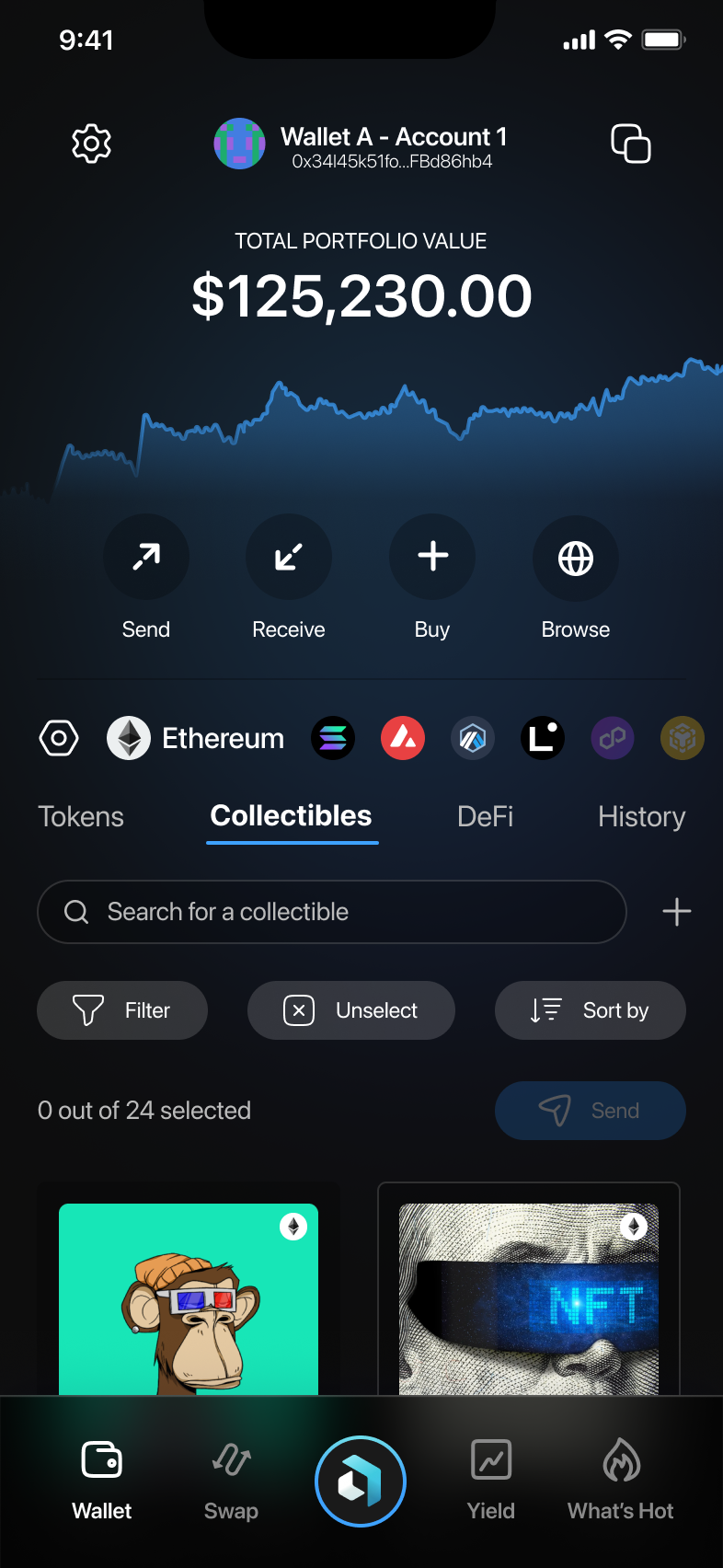
- From the main screen, select the Collectibles tab.
- NFTs in your wallet will be displayed here.
Filtering and Sorting NFTs
- Tap Filter or Sort by to organize your NFTs.
- Filter by collections or criteria such as Include airdrop NFTs.

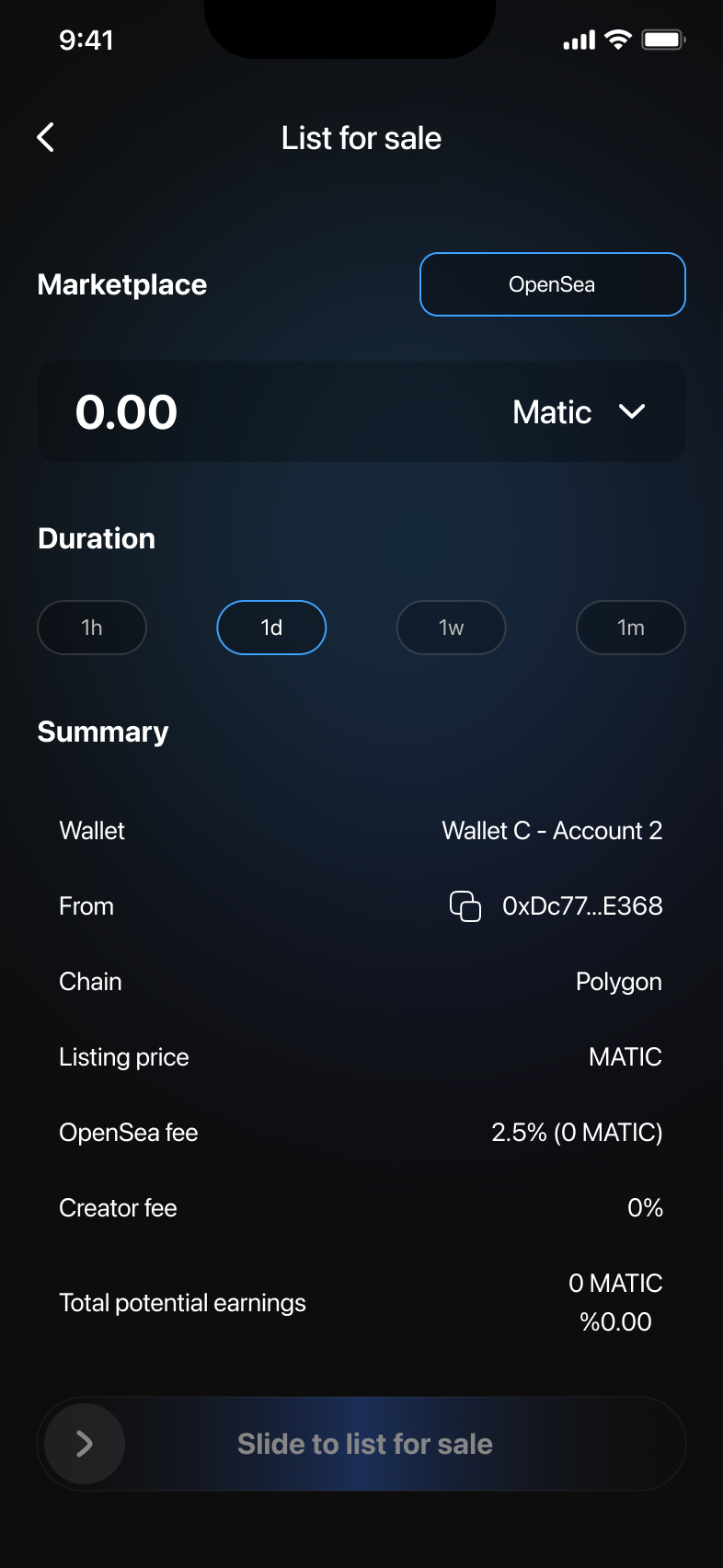
Listing NFTs for Sale
- In the NFT details screen, tap List for sale.
- Select a marketplace, enter your selling price and duration.
- Confirm the listing by sliding Slide to list for sale.