Hyperliquid
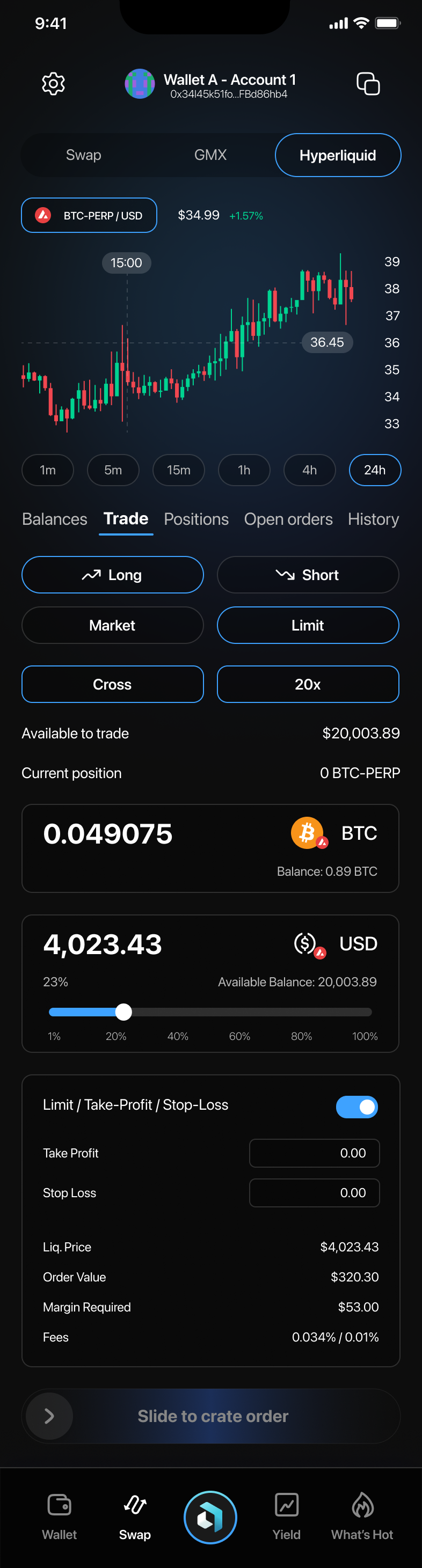
1. Hyperliquid Trading
Starting a Trade
- Navigate to the "Hyperliquid" tab under the Swap section.
- Choose between a "Long" (buy) or "Short" (sell) position.
- Select the trade type: "Market" for immediate trades or "Limit" to set a specific price.
- Choose leverage ("Cross" or select the leverage slider to adjust).
- Confirm the amount and details, then slide to create your order.
2. Margin Modes
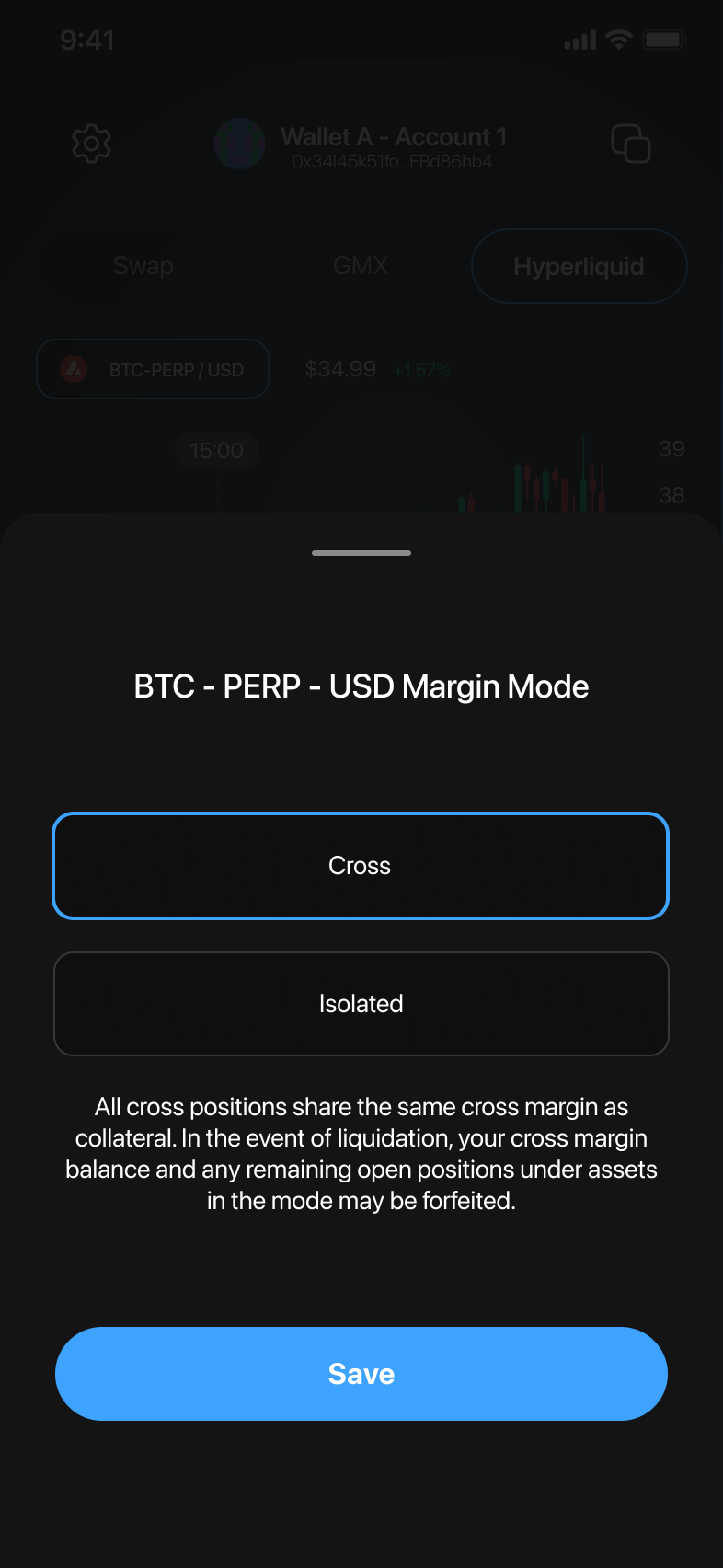
Selecting Margin Modes
- Tap the margin mode (e.g., "Cross").
- Choose between "Cross" or "Isolated" margin mode.
- Confirm your choice by tapping "Save".
Cross Margin: Shares margin across all positions.
Isolated Margin: Limits margin risk to individual positions.
3. Managing Positions
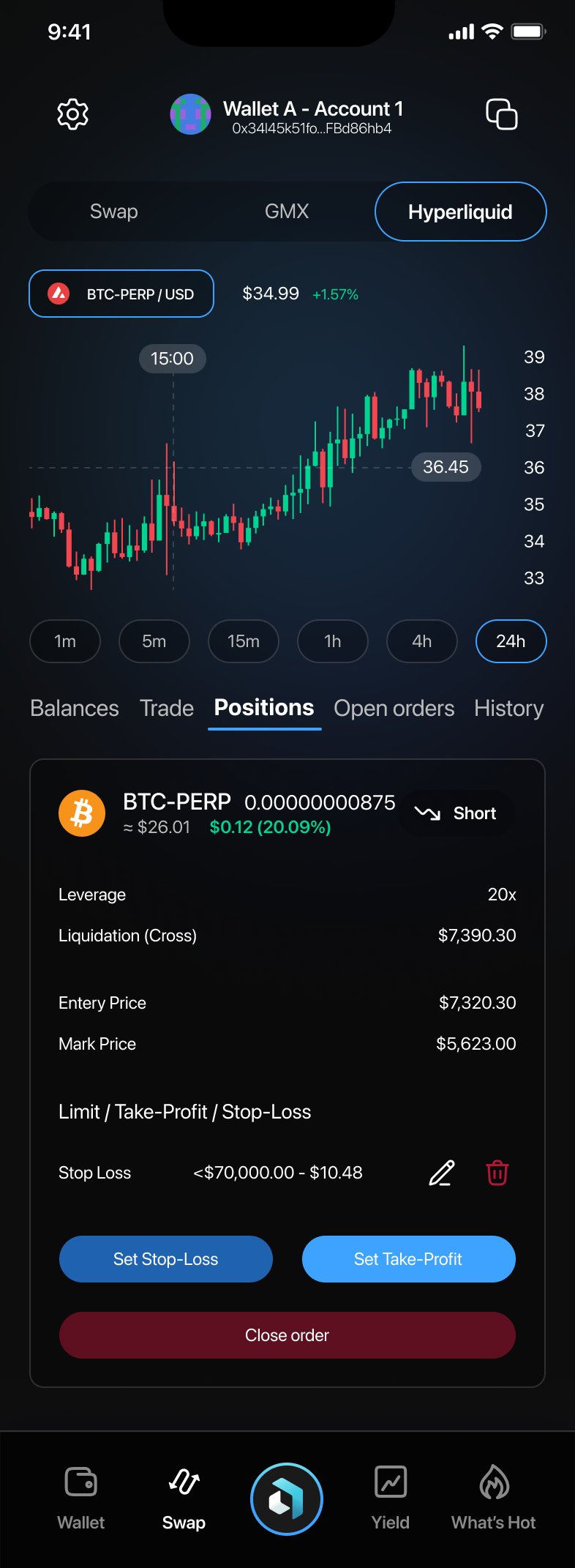
- Access your open positions under the "Positions" tab.
- Review details like leverage, liquidation price, entry price, and current price.
- Set or modify your Stop-Loss and Take-Profit orders.
- Close your position by tapping "Close order" and confirming.
4. Transferring Funds
Transfers Between Wallets
- Select "Balances" under the Hyperliquid tab.
- Tap "Transfer" to move funds between Spot and Perps balances.
- Enter the transfer amount and confirm.
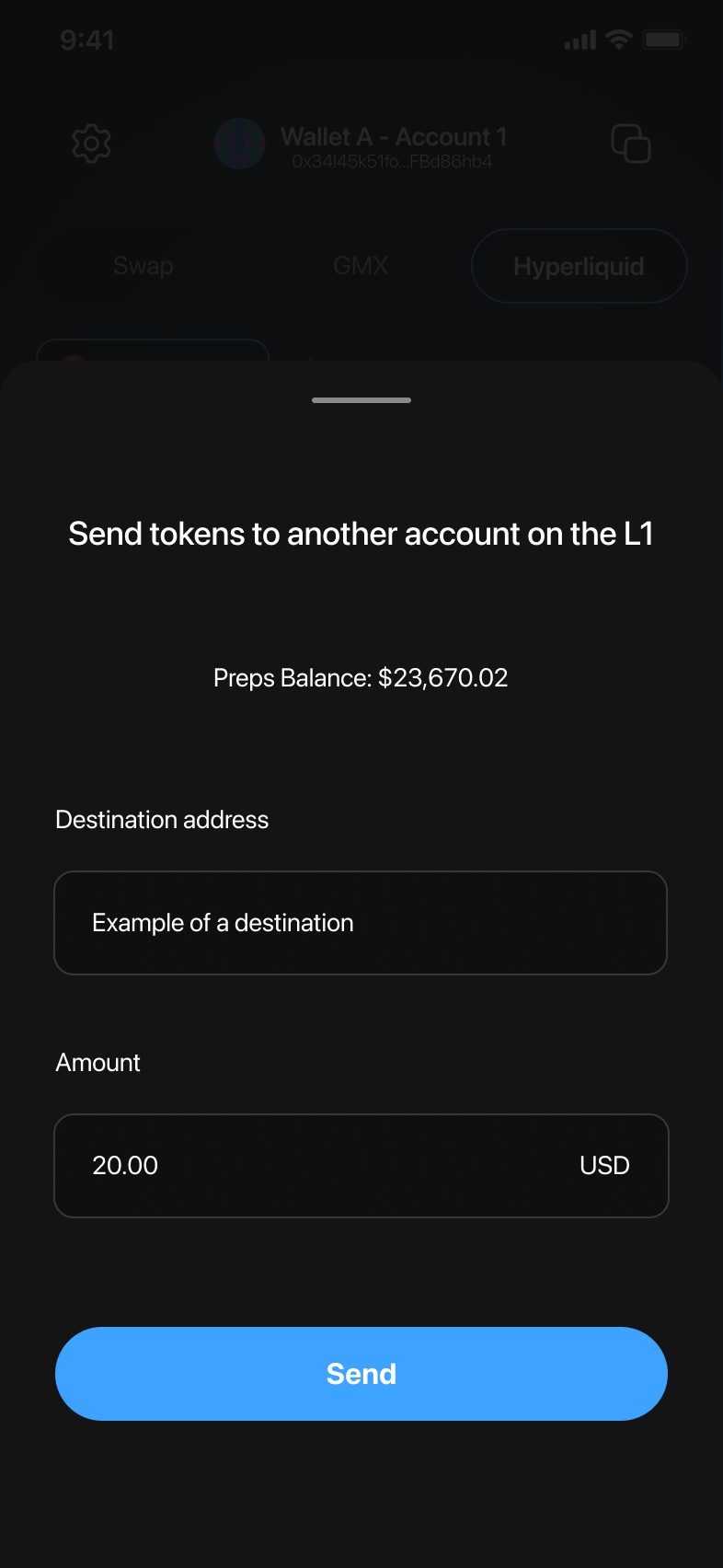
Sending Tokens
- Tap "Send" to transfer tokens to another wallet.
- Enter the recipient's address and the amount, then confirm by tapping "Send".
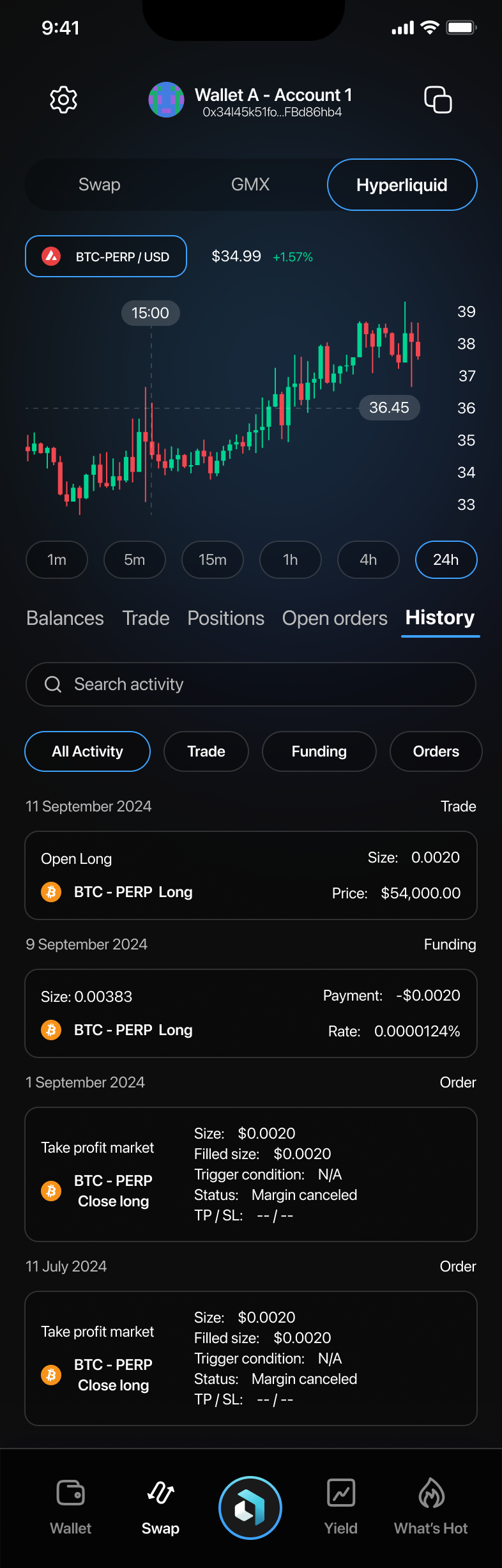
5. Reviewing Trading History
- Access the "History" tab to view past activities.
- Filter history by "All Activity", "Trade", "Funding", or "Orders".
- Review details clearly listed for each trade, order, or fund movement.
Final Notes and Tips
- Always verify margin modes and leverage to control trading risk effectively.
- Monitor your positions regularly to respond promptly to market changes.
- Keep track of your transfers and trades through history for accurate record-keeping.