General Settings
General settings for Aya. Adjust language, currency, security, and backup options here.
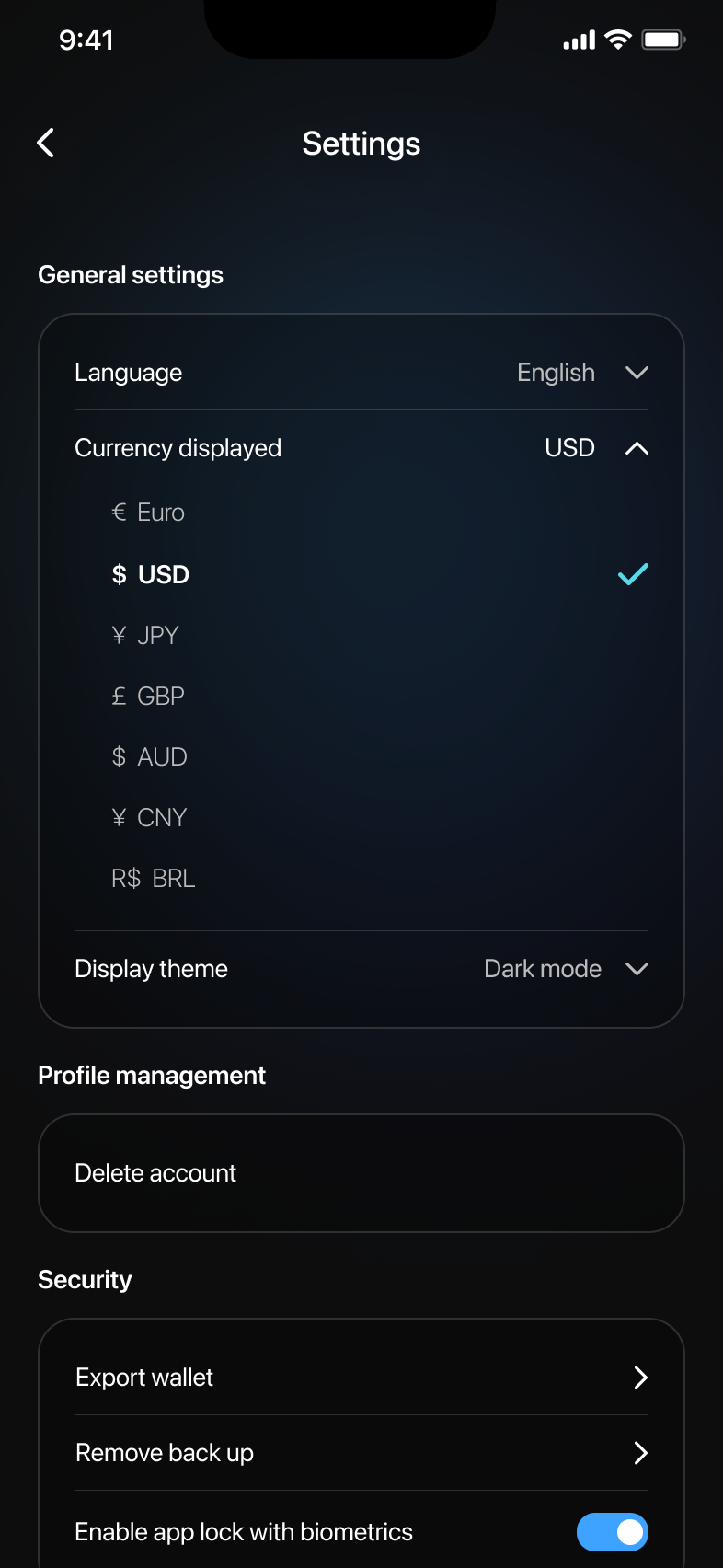
Accessing General Settings
- From the Wallet main view, tap the gear (settings) icon located at the top left corner.
- You will now enter the Settings screen.
Adjusting General Settings
- LanguageTap on Language to select your preferred language from the available options.
- Currency DisplayedTap on Currency displayed to select your preferred currency (USD, EUR, JPY, GBP, etc.).
- Display ThemeTap on Display theme to toggle between Light and Dark mode.
Profile Management
- Delete AccountTo delete your account, tap Delete account and follow the prompts to confirm.
Security
- Export WalletTap on Export wallet to export your wallet details securely.
- Remove BackupTo remove an existing backup, tap Remove back up and confirm the removal.
- Enable App Lock with BiometricsToggle this option on or off to enable biometric security for your wallet.
Wallet Backup
- Backup WalletsTap on Backup wallets to securely back up your wallet data and follow the instructions to complete the process.
Ensure you save your backup information securely and privately.